
It's Monday, 6 a.m., your first week on a new gym app. The morning rush is lining up at the door. And the fingerprint reader isn't syncing.
This is the moment that shows what support is really worth. The demo and setup calls are behind you. Now you need help, fast.
Here's the short answer. After you go live, expect a real person to reply quickly in the first few weeks. Expect hands-on help when devices, payments, or messages fail. And expect training and updates to continue long after launch. A good gym management app treats go live support as the start, not the finish.
What Does "Go Live" Actually Mean for a Gym?
Going live is the day your team stops using the old system. From then on, the gym runs on the new app.
Members check in through it. Staff collect payments in it. Renewal reminders go out from it. There's no backup notebook anymore, or at least there shouldn't be.
Most setup work happens before this day. Plans get created, members get imported, and staff get a first round of training. But real use always finds things a test never did. That's why post go live support matters as much as the setup itself.
What Support Should You Get in the First Week?
The first week is the busiest time for support. Small problems pop up daily, and each one feels urgent.
A Real Person on WhatsApp or Phone
In week one, you shouldn't wait on an email ticket. You need someone you can message or call during gym hours. FitBoat offers support by phone, WhatsApp, and chat, which suits owners who run their gym from their phone.
Some providers call this early stretch "hypercare." It simply means extra-close support right after launch.
Quick Fixes for Devices and Check-Ins
Fingerprint readers, RFID cards, and turnstiles cause most first-week headaches. A device might not sync, or a member's fingerprint might not register. Support should help you fix these the same day, ideally while the member is still at the desk.
A Second Look at Your Imported Data
Moving records from an old system is called data migration. FitBoat's team handles this move for you, including member, billing, and attendance data. Even so, check a few profiles in week one. Look at expiry dates, dues, and phone numbers. If something looks off, flag it early.
What Usually Breaks in the First Month?
Week one is about devices. The first month is about things that only happen once a month.
Your First Renewal and Billing Cycle
The first big renewal day is a real test. Are the right members getting reminders? Are payments landing against the right plans? Stay in close touch with support for this first cycle. If billing and payroll don't match up, it's easier to fix in month one than month six.
Messages That Say "Sent" but Never Arrive
This one catches many gyms in India. Business SMS must follow TRAI's DLT rules. Every message has to match a registered template exactly.
If it doesn't, the app may show the SMS as sent while the carrier quietly blocks it. Even an extra space can cause this. Promotional SMS sent after 9 p.m. or before 10 a.m. also get dropped. FitBoat offers DLT implementation support to help gyms set this up correctly.
Outside India, the rules differ, but the lesson is the same. Check that texts and WhatsApp reminders actually reach members, not just leave the app.
Members Who Haven't Downloaded the App
Launching a member app doesn't mean members will use it. Many will keep calling the front desk out of habit. Good support helps here too, with tips, posters, or messages that nudge members to download.
How Fast Should Gym App Support Respond?
Speed depends on the problem. Not every question is an emergency, but some really are.
Urgent issues stop the gym from running. Think check-ins failing, payments not recording, or the app not opening. These need a reply within minutes or a few hours, not days.
Routine questions can wait a little longer. How do I change a plan price? How do I export a report? A same-day or next-day answer is fine here.
Some providers take 2 to 3 business days to answer a ticket. That might work for an office. It doesn't work for a gym with members waiting at the door. Ask for response times in writing before you sign.
What Help Should Continue After the First 90 Days?
After three months, the app should feel normal. But support shouldn't disappear just because the launch is over.
Training New Staff When People Leave
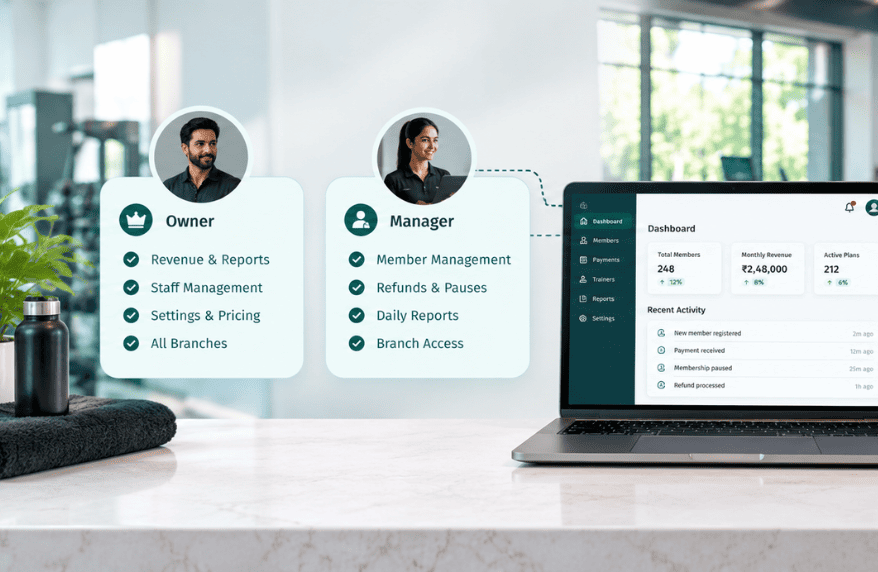
Gyms hire often, especially at the front desk. Each new person needs to learn the app. A good provider should offer a quick training call or short videos for new staff. Pair this with role-based access, so new hires only see what their job needs.
Updates and New Features
Your app should keep getting better over time. Look for clear notes whenever something changes, so staff aren't caught off guard. A button that moves overnight can slow down a busy morning.
Backups and Your Data
Your member data is your business. FitBoat sends automated email backups, so your data never lives in just one place. As you grow, also check that reports still add up. Your dashboard numbers should match what's actually in the bank.
How Can You Test Support Before You Sign Up?
You don't have to guess. Most gym apps offer a free trial, so use it to test support too.
Send a real question during the trial. Note how long the reply takes and whether it solves your problem. Try one message during a busy hour, like early morning or evening.
Next, read reviews with one goal: find comments about support. Features look similar across apps. Support is often where they differ most.
Finally, ask who you'll talk to after launch. Is it the same team that set you up, or a general help desk? The answer tells you a lot.
How Can Gym Owners Get Faster Answers From Support?
Support works best when both sides help. A few small habits save hours.
Pick one person on your team to talk to support. That way, fixes don't get lost between staff. Send a screenshot with every issue.
Then explain the steps that led to the problem. For example: "I renewed Ravi's plan, then the due amount didn't change." That one line can turn a long back-and-forth into a single reply.
Ready for Support That Stays After Launch?
Going live is a big day, but it's only day one. The weeks after decide whether your team trusts the new app.
Look for a real person, fast replies, help through your first billing cycle, and training that continues. Want to see what that feels like? Try FitBoat free for 7 days, with onboarding help included on every plan.
Frequently Asked Questions
What Is Go Live Support for a Gym App?
It's the help you get right after your gym starts using a new app. It covers fixing issues, checking data, and supporting staff through the first weeks.
How Long Does It Take a Gym to Settle Into a New App?
Most gyms feel settled within one to three months. The first renewal cycle and first staff change usually reveal any remaining issues.
How Fast Should Gym App Support Reply?
Urgent issues, like failed check-ins or payments, need a reply within hours. Routine questions can usually wait until the same or next day.
Why Are My Gym's SMS Reminders Not Being Delivered?
In India, SMS must match a DLT-registered template exactly. If it doesn't, carriers block the message, even when the app shows it as sent.
Should Gym App Support Train New Staff?
Yes. Gyms hire often, so good providers offer short training calls or videos. New staff should be able to handle core tasks within their first day.
How Can I Check a Gym App's Support Before Buying?
Send a real question during the free trial and time the reply. Also read reviews for comments about support, not just features.
 Built for Indian Gym Owners


