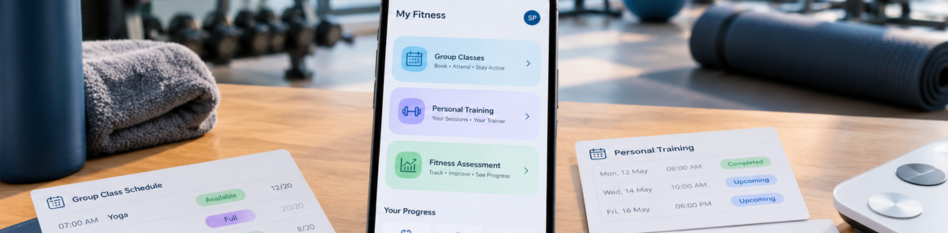
A member books a Zumba class in one app. She messages her trainer on WhatsApp to move a session. Her body fat reading sits on a paper card in a drawer somewhere.
Three services. Three places. One very confused member.
So, can one app run all three? Yes, as long as every service connects to one member profile. Most apps handle classes and personal training well. Fitness assessments are where many fall short, so check that part closely.
Here's what a good gym management app should do for each one, and how they fit together.
Why Do Most Gyms End Up Using Three Separate Tools?
Nobody plans it this way. It just happens one service at a time.
A gym starts with memberships and a few group classes. Then trainers start selling personal training. Later, someone buys a body composition scale for new members.
Each new service gets its own fix. Classes go into a booking app. PT sessions live in a trainer's diary. Assessment results land in a notebook or a spreadsheet.
Soon the same member exists in three places. One record has her old phone number. Another has her new one. Nobody can see her whole story at once.
What Should a Gym App Handle for Group Classes?
Group classes are usually the busiest part of the schedule. A good group fitness app keeps them running without constant front desk help.
Booking, Capacity, and Waitlists
Members should book classes from their phone in a few taps. Each class needs a set capacity, so a 20-person spin class never gets 26 people. When a class fills up, a waitlist should move the next person in if someone cancels.
Class Packs and Drop-Ins
Not everyone buys a monthly plan. Some members want class packs, like 10 classes to use over two months. Others just drop in once. The app should count down each pack as classes get used.
What the Instructor Sees Before Class
Instructors should see who's booked before class starts. That helps them plan for beginners or someone coming back from injury. If you run online and in-person sessions together, keep them in one system. Our post on hybrid gym classes explains why split systems break.
How Should Personal Training Work Inside the Same App?
Personal training brings in good money, but it's often the messiest part to track.
Personal Training Packages and Session Counts
Most gyms sell personal training packages, like 12 or 24 sessions. The app should show how many sessions are used and how many are left. Members should see the same number on their phone. That ends the classic "I thought I had three left" argument.
Trainer Schedules and Commissions
Trainers need a clear view of their day. FitBoat lets you assign personal training sessions, track trainer hours, and work out commissions. When sessions are logged in the app, commissions add up on their own.
That only works if payments and pay sit together. When billing and payroll run separately, trainers wait longer and owners double-check everything.
Where Do Fitness Assessments Fit In?
A fitness assessment measures where a member starts. It might include weight, body fat, waist size, and a few strength or cardio tests. Done well, it's the part of the journey members remember.
A Baseline on Day One
The first assessment should happen soon after joining. It gives the member and trainer a starting point. The results should save straight into the member's profile, not onto a paper form.
Retests Every 8 to 12 Weeks, With Reminders
One test on day one isn't enough. Many trainers retest every 8 to 12 weeks. The app should remind the trainer and the member when a retest is due. Without reminders, retests quietly stop happening.
Progress Members Can Actually See
Numbers in a drawer don't motivate anyone. Members should see their results as simple charts in the member app. Think of it as a body measurement app built into your gym's own app. Some members also want wearable data added, though that's not always worth it.
How Do All Three Connect Through One Member Profile?
This is where one app beats three tools. Each service feeds the next.
Take Priya, a new member at a gym in Pune. She joins on a 6-month plan. On day one, a trainer runs her fitness assessment and saves the results to her profile.
The trainer sees she wants to lose fat and build strength. He suggests a 12-session PT package. Priya buys it at the desk, and her session count starts right away. She also books a weekend yoga batch from her phone.
Ten weeks later, the app reminds her trainer about a retest. Her new numbers sit right next to her old ones.
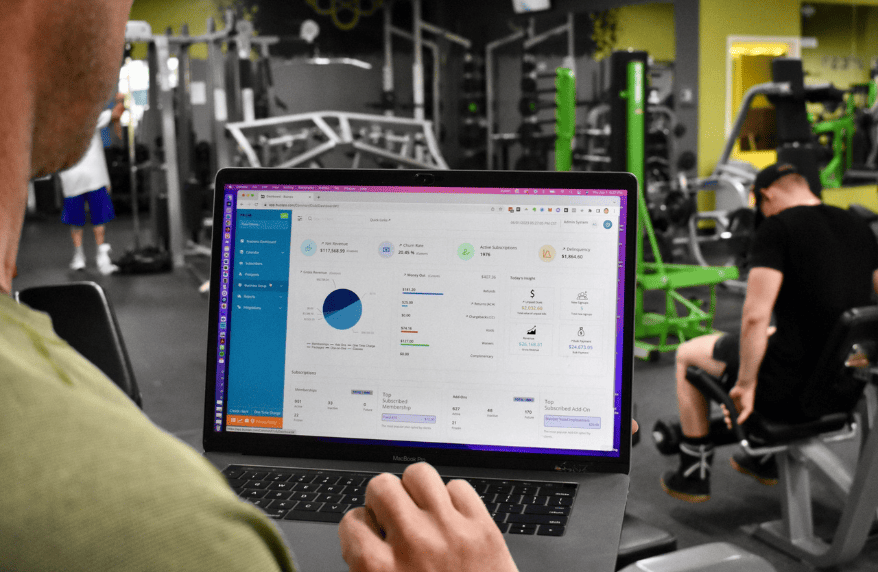
Now look at what the gym gets. One payment history covers her plan, PT, and classes. One attendance record shows every visit. Your dashboard numbers finally agree, because everything comes from one place.
What Does This Look Like for Owners, Trainers, and Members?
Each person sees the same member through a different window.
Owners see revenue from memberships, classes, and PT in one report. They can spot which service is growing and which is stuck.
Trainers see their clients, sessions, and assessment results together. They can plan workouts from real numbers, not guesses. FitBoat also lets trainers share diet plans that members can view.
Members see one app for everything. They book classes, check PT sessions left, and follow their progress. No switching between apps, and no asking the front desk.
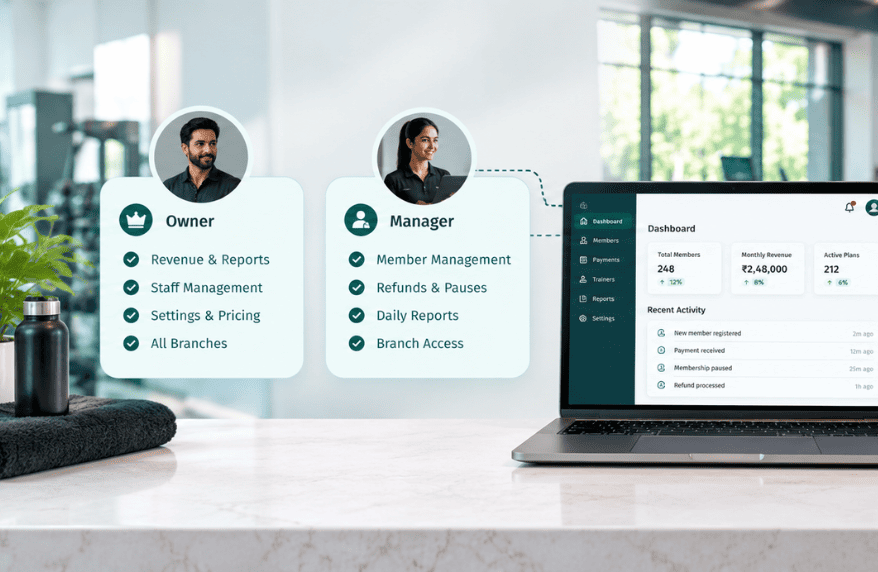
Each person should only see what their job needs. That's where role-based access comes in.
When Might You Still Need a Separate Tool?
An honest answer: sometimes you will.
If your gym uses a 3D body scanner, its own app may give deeper reports. Many owners keep that scanner app and copy key numbers into the main profile.
Trainers who sell online coaching programs across countries may prefer a dedicated coaching app. Very large studio chains with complex setups may also mix tools.
For most gyms and studios, though, one app covers the daily work. The goal isn't one tool for every edge case. It's one member record that everyone trusts.
How Can You Tell If a Gym App Really Handles All Three?
A demo can look great and still hide gaps. Ask these questions before you commit.
Can one member book a class, buy a PT package, and log an assessment on one profile? Does the member see sessions left and progress charts on their phone? Do trainer commissions update from logged sessions without extra entry?
Finally, ask for a single report covering all three services. If the answer involves exporting to a spreadsheet, keep looking.
Ready to Run Every Service From One App?
Group classes, personal training, and fitness assessments all serve the same member. They should live in the same place too.
When they do, members stay motivated, trainers plan better, and owners see the full picture. Want to try it with your own schedule? Start with FitBoat free for 7 days, with no credit card needed.
Frequently Asked Questions
Can One Gym App Manage Group Classes and Personal Training?
Yes. A good gym app handles class bookings, capacity, and waitlists alongside PT packages and trainer schedules, all tied to the same member profile.
What Is a Fitness Assessment at a Gym?
A fitness assessment measures a member's starting point. It often includes weight, body fat, body measurements, and simple strength or cardio tests.
How Often Should Gym Members Get Reassessed?
Many trainers retest every 8 to 12 weeks. That gap is long enough to show real change and short enough to keep members motivated.
How Should a Gym App Track Personal Training Packages?
It should count sessions used and sessions left for each package. Both the trainer and the member should see the same number on their phones.
What Are Class Packs in a Gym?
Class packs are bundles of classes bought together, like 10 classes to use within two months. The app counts down each class as it's used.
When Does a Gym Need a Separate Assessment Tool?
Usually only for advanced gear like 3D body scanners. Most gyms can record weight, body fat, and measurements directly in their main gym app.
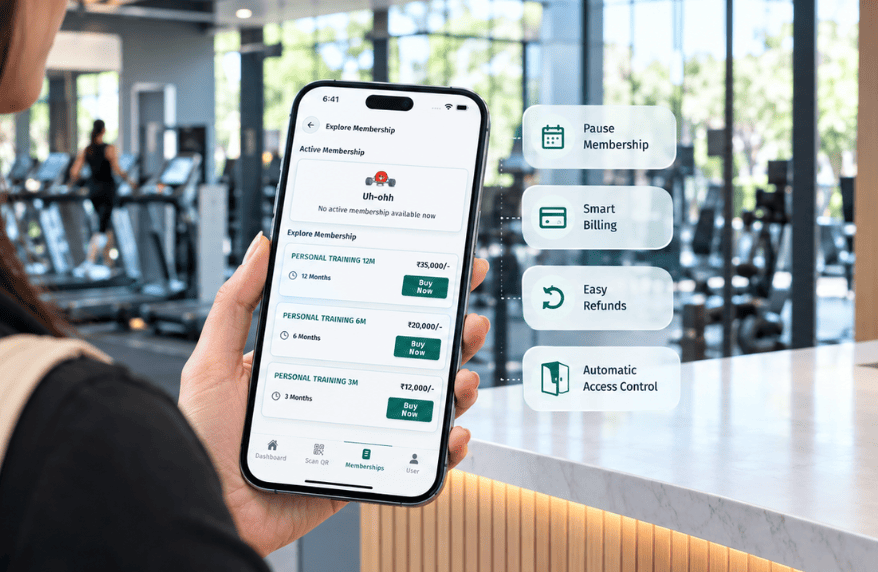
 Built for Indian Gym Owners


