
Access control is a door problem before it is a software problem. Your software decides who is allowed in. The hardware on your door decides whether they actually get in, what happens in a power cut, and whether you pass a fire inspection.
Software choices are reversible. Door choices are not. This guide covers the door.
How Gym Access Control Systems Work
Gym Access Control Hardware: Reader, Controller, and Lock
A reader sits at the door. It scans a card, fob, phone, or fingerprint.
A controller receives that signal. It checks the credential against a stored member list and decides whether to unlock.
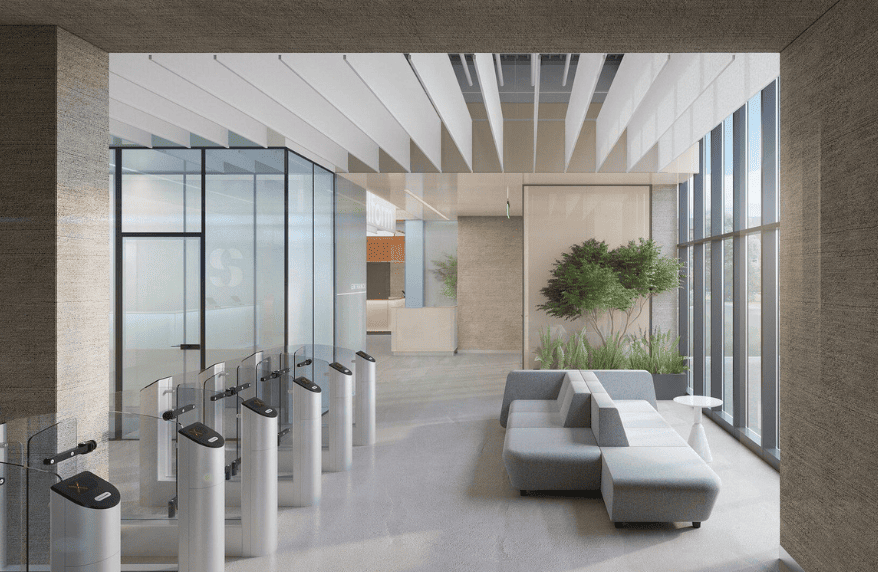
A lock does the physical work. Usually a maglock, an electric strike, or a turnstile.
How Gym Access Control Connects to Your Membership Software
Your gym software holds membership status. It pushes an authorised member list to the controller.
When someone scans, the controller checks locally and triggers the lock. The entry is logged and synced back to your software.
The controller is the part most buyers have never heard of. It is also where most problems live.
Cloud vs On-Premise Gym Access Control
Cloud-managed controllers are configured through a browser. Easier to manage across sites. Dependent on connectivity for changes.
On-premise controllers are configured locally. More resilient, less convenient, harder across multiple locations.
Most modern systems are hybrid. They are cloud-managed but hold a local copy of the member list so the door keeps working if the connection drops.
Fail-Safe vs Fail-Secure Gym Door Locks
This is the most important decision in the whole system, and almost nobody explains it.
Gym Door Access in a Power Cut: Fail-Safe vs Fail-Secure
Fail-safe locks unlock when power is lost. The door opens. People can get out and in.
Fail-secure locks stay locked when power is lost. The door stays shut. Nobody gets in, and depending on the setup, nobody gets out.
Maglocks are fail-safe by design. They need constant power to hold. Electric strikes are usually fail-secure.
Fire Code Requirements for Gym Access Control Doors
Doors on designated escape routes generally must allow free exit at all times, including during a power failure or fire alarm activation.
That normally means fail-safe hardware on exit doors, wired to release on alarm.
This is not a preference. It is a compliance requirement, and it varies by jurisdiction. Get it wrong and you fail inspection, or worse.
Emergency Door Release for Gym Access Control
Every electronically controlled door needs a manual override.
A break-glass unit or emergency release button cuts power to the lock directly, independent of the controller and software. If everything else fails, the door still opens.
Ask your installer to show you where it is and test it before you sign off.
Zone-Based Gym Access Control Explained
Most guides treat a gym as one door. Real gyms have several.
Gym Access Zones: Restricting Entry by Area
You may want members on the gym floor but not in the pool. Or studio access only for class-package holders. Or staff-only entry to the office and stock room.
Zone-based access assigns permissions per area rather than per building.
Time-Based Access Control for Gym Memberships
Off-peak memberships that only work between 10am and 4pm. Staff access limited to shift hours. Trial passes that expire automatically.
This is where access control stops being security and starts being revenue. Off-peak tiers only work if the door enforces them.
Multi-Location Gym Access Control Credentials
If you run several sites, decide early whether one credential works everywhere or each location issues its own.
Members strongly prefer one. It is harder to configure, so ask before you buy rather than after.
24/7 Unstaffed Gym Access Control Requirements
This is the main reason gyms buy access control, and the part that needs the most planning.
What You Need Before Running an Unstaffed Gym
Reliable door hardware with a tested emergency release. CCTV covering the entrance and main floor. An alarm system. A documented incident procedure. Clear signage on what to do in an emergency.
Access control alone is not enough to open unstaffed. It is one component.
Lone Worker and Member Safety in Unstaffed Gyms
Someone will eventually train alone at 4am and get hurt.
Options include panic buttons on the floor, a monitored alarm with a response service, and CCTV with remote monitoring. Some operators require members to check in and out so the system knows if someone has been on site unusually long.
Decide your procedure before you open, not after an incident.
Pairing CCTV and Alarms With Gym Access Control
Access control tells you who entered. CCTV tells you what happened. Alarms tell you when something is wrong.
The three work best when linked, so a forced door triggers an alarm and flags the relevant camera footage.
Gym Insurance Requirements for Unstaffed Access
Insurers commonly have requirements for unstaffed operation, and these vary by provider and region.
Talk to your insurer before you commit to hardware. Some requirements affect what you need to install.
Offline Gym Access Control for 24/7 Operation
At 3am there is no staff to let people in manually.
Ask directly whether the door keeps working when the internet drops, and whether those entries still get recorded. Both halves matter. Some systems admit members but lose the attendance data.
Gym Door Access Credential Types Compared
Cards and fobs are cheapest per reader and easiest to replace. They can be shared or lost.
Mobile credentials remove the card entirely. Members always have their phone.
Biometrics tie entry to a person rather than a credential. This is the only method that genuinely stops sharing.
For a full comparison of speed, cost, and sharing risk across all methods, see our guide to gym check-in systems.
Retrofitting Gym Access Control on an Existing Door
Most gyms are not new builds. You are adding hardware to a door that already exists.
Survey Before You Buy
This is the single most common expensive mistake. Owners buy a reader and controller online, then discover the door cannot take it.
Get an installer to look at your actual entrance first. A site survey costs little and saves a great deal.
Cabling, Power and Network
The controller needs power. The reader needs a cable run back to the controller. Both may need network access.
In an older building, running that cable is often the largest line in the quote.
Difficult Doors
Glass doors may not accept a maglock without a bracket or frame modification.
Fire doors have certification that can be voided by drilling. Check before anyone touches them.
Leased premises may prohibit modifications. Check your lease.
Door Alignment
Doors drift. Hinges sag, frames shift, and buildings settle.
A maglock needs the armature plate to meet the magnet squarely. Six months after install, a misaligned door will start failing intermittently, and it will look like a software fault.
Budget an annual door check. It is cheaper than emergency callouts.
How to Choose a Gym Access Control Installer
Who Installs Gym Access Control: Electrician, Locksmith, Network Engineer
An electrician for power supply and mains work.
A locksmith or door specialist for the lock, strike, and door hardware.
A network engineer if the controller needs structured cabling or VLAN configuration.
Some access control installers cover all three. Many do not, and owners discover this halfway through.
Questions Before You Commission
Have you installed this controller model before? Who handles fire alarm interfacing. What is your response time for a door failure? Is emergency release included and tested. Do you provide as-built documentation?
That last one matters. When something breaks in two years, the next person needs to know how it was wired.
Who Owns the Fault
Get this agreed in writing before work starts.
If the door does not open, is it the software vendor, the hardware supplier, or the installer? Without a clear answer, you will spend an outage listening to three parties blame each other.
Gym Access Control Cost: Installation and Ongoing Fees
Install cost is only the start.
Hardware and installation, per door, varies widely by region. Expect roughly $600 to $2,000 for a basic setup covering reader, controller, lock and fitting. Turnstiles start considerably higher.
Then the ongoing costs nobody quotes:
Card and fob replacement. Members lose them constantly, and at scale this becomes a real annual line.
Lock maintenance and door realignment.
Controller firmware updates, and occasional hardware replacement as models reach end of life.
Callout fees when a door fails outside business hours.
Biometric readers cost more upfront and remove the card replacement cost entirely. For gyms above a few hundred members, that often reverses the comparison within two years.
Gym Access Control Systems Compared by Vendor
These are two different purchases. Some gyms need one, some need both.
Gym Platforms with Built-In Door Control
| Platform | Approach |
|---|---|
| FitBoat | RFID and biometric readers, zone control across sites and rooms |
| Gym Assistant | Own access hardware, US focused |
| Gymflow | Integrates with third-party door hardware |
| GymMaster | Supplies own door hardware and controllers |
| PerfectGym | Enterprise, includes turnstiles and biometrics |
| RhinoFit | Door access as a platform feature |
Dedicated Access Control Hardware
| Vendor | Approach |
|---|---|
| Avigilon | Enterprise security, multi-industry |
| Gantner | Fitness-specific, strong in Europe |
| Kisi | Cloud-native, integrates with many platforms |
| ProDataKey | Cloud access control, installer channel |
When You Need Both
If your gym software handles memberships well but your building needs serious security, pair a gym platform with dedicated hardware. Confirm the two integrate before buying either.
When One Is Enough
Single site, one or two doors, straightforward requirements. A gym platform with built-in door control keeps everything under one vendor and one support number.
Where FitBoat Fits
FitBoat handles member and staff access across multiple centres and across separate rooms within a site, using RFID and biometric integration. So a member can be permitted onto the gym floor but not into the pool, and staff can hold different permissions from members.
Entry and exit are both tracked, feeding attendance reporting for members and staff.
Best for multi-location operators and gyms running separate access zones under one platform.
Not for you if you need turnstiles at enterprise scale or a hardware-agnostic controller that integrates with an existing building security system. PerfectGym, Kisi and ProDataKey are stronger there.
Pricing is quoted per gym based on locations and requirements.
Common Gym Access Control Mistakes to Avoid
Buying hardware before a site survey. The most expensive mistake on this list.
Ignoring fire compliance. Fail-secure hardware on an escape route is a serious problem, not a preference.
No tested emergency release. Install it, then actually test it.
Assuming your software controls any door. Check compatibility with the specific controller before you buy either.
Forgetting the exit. Many setups control entry perfectly and leave exit unmanaged, which breaks occupancy tracking.
No annual door check. Doors drift, and intermittent failures get blamed on software.
Conclusion
Most gym owners approach access control as a software feature and discover halfway through that it is a building project. The reader and controller are the easy part. Power, cabling, fire compliance and door alignment are what actually determine whether the system works in two years.
Start with a site survey. An installer looking at your actual entrance will tell you more in twenty minutes than any product page.
Then settle three things before you spend anything. What happens to the door in a power cut, what happens when the internet drops, and who you call at 6am when a member cannot get in.
If you are opening unstaffed hours, talk to your insurer before you buy hardware. Their requirements may decide part of the specification for you, and finding that out afterwards is expensive.
Frequently Asked Questions
What is a gym access control system?
Hardware and software that controls who can enter your gym and when. A reader captures a credential, a controller checks it against your member list, and an electronic lock or turnstile allows or denies entry.
What is the best access control for gyms?
It depends on your setup. Single-site gyms are usually best served by a gym platform with built-in door control. Multi-site operations and buildings with wider security needs often pair a gym platform with dedicated access hardware.
How much does gym access control cost?
Roughly $600 to $2,000 per door for a basic setup including reader, controller, lock and installation. Turnstiles cost considerably more. Ongoing costs include card replacement, maintenance and callouts.
Do I need access control for a 24/7 gym?
Yes, but it is only one component. Unstaffed operation also needs CCTV, an alarm system, a documented incident procedure, and confirmation that your insurer accepts your setup.
What happens to the door in a power cut?
It depends on whether your lock is fail-safe or fail-secure. Fail-safe unlocks, fail-secure stays locked. Doors on escape routes normally need fail-safe hardware for fire compliance. Confirm requirements for your jurisdiction.
Can I add access control to an existing door?
Usually yes, but survey first. Glass doors, fire doors and leased premises all carry restrictions, and cable runs in older buildings are often the biggest cost.
Does my gym software control the door, or do I need separate hardware?
Both. Your software holds membership status. Physical hardware opens the door. Some gym platforms supply compatible hardware. Others integrate with third-party systems. Confirm compatibility before buying either.
Who installs a gym access control system?
Typically an access control installer, though the job can involve an electrician, a locksmith and a network engineer. Ask whether your installer covers all three or subcontracts.


 Built for Indian Gym Owners


