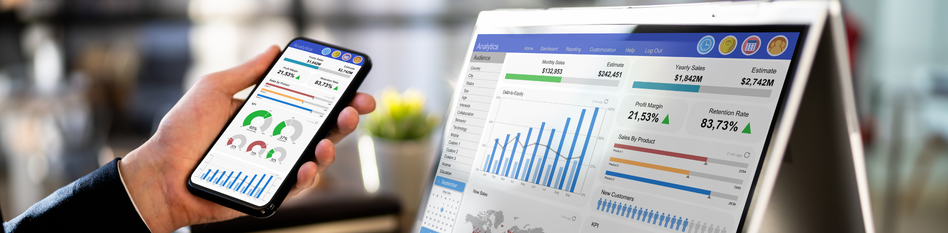
A gym management app is built mobile-first, designed for gym owners who run their business from a phone on the gym floor. Gym management software is typically desktop-first, built for gyms with a dedicated admin or front-desk person who works from a computer. Both handle memberships, billing and attendance.
But the design philosophy behind each one is fundamentally different, and that difference determines which one actually fits your gym.
Most gym owners search for one, end up buying the other, and spend the next three months frustrated by features that don't match how they work. This guide clears that up before you sign up for anything.
What Is Gym Management Software?
Gym management software is a web-based or desktop platform that centralizes member data, billing, class scheduling and reporting in one admin dashboard, accessed primarily from a computer.
It works well when someone in your gym has dedicated time to sit down, process renewals, configure settings and pull reports at the end of each week. Large gym chains, multi-location operators and gyms with a full-time front-desk team tend to get the most out of it.
Most gym management software platforms offer a mobile app as a companion feature, but that app is usually adapted from the desktop interface rather than built from scratch for mobile use. The result is a tool that technically works on a phone but is not enjoyable to use on one.
FitGymSoftware is a strong example of desktop-first gym management software, built specifically for gym businesses that need deep reporting, multi-user access and robust billing management from a centralized dashboard.
What Is a Gym Management App?
A gym management app is a mobile-first platform that lets gym owners manage memberships, billing, attendance and member communication directly from their phone, without needing to sit at a desktop.
The key word is 'designed.' A true gym management app is built from the ground up for a phone screen. Buttons are sized for thumbs. Common tasks like checking attendance, approving a new member or sending a renewal reminder take one or two taps, not five clicks through a desktop menu.
This matters because most independent gym owners don't work from a desk. They're on the gym floor, between classes, managing a session and handling a billing question at the same time. A gym app built for that reality feels completely different from a software platform that was retrofitted to run on mobile.
FitBoat is a gym management app built specifically for this kind of owner: mobile-first, with WhatsApp automation, biometric attendance and member communication built directly into the app, not added through third-party tools.
What Is the Real Difference Between a Gym App and Gym Software?
The real difference between a gym management app and gym management software is design philosophy, not features. Both can handle memberships, billing and class scheduling. The question is which device they were designed for first, and that shapes everything from setup time to daily usability.
Key Differences at a Glance
| Gym Management App | Gym Management Software | |
|---|---|---|
| Primary device | Mobile, iOS and Android | Desktop or web browser |
| Built for | Independent owners on the gym floor | Admin teams and multi-location chains |
| Setup time | Minutes to a few hours | Days to weeks |
| WhatsApp automation | Built in natively | Usually via third-party integration |
| Biometric integration | Direct plug-in supported | Often requires separate hardware setup |
| Mobile experience | Designed for mobile from the ground up | Usually adapted from a desktop interface |
| Pricing | Usually lower, per location | Scales with staff users or locations |
| Best for | 1 to 2 location gyms run by the owner | Gyms with a dedicated back-office team |
Is a Gym App Better Than Gym Software for an Independent Gym Owner?
For most independent gym owners running one or two locations without a dedicated admin, a gym management app is the better fit than gym management software.
Three situations make this clear.
You Spend Most of Your Day on the Gym Floor, Not Behind a Desk
Desktop-first gym software assumes someone has time to sit and manage the system from a computer. If that person is you, and you are also coaching, checking members in and handling enquiries between sessions, software built for a desk creates friction every single day.
A mobile-first gym app removes that friction because it was designed for exactly how your day actually runs.
You Don't Have a Dedicated Front-Desk Person
Most gym management software is built around a front-desk workflow. Someone logs in at the start of the day, processes renewals, checks the member queue and runs end-of-day reports from a desktop.
If that role doesn't exist in your gym, you're paying for a system designed around a job you don't have. A gym management app gives the owner all of those capabilities from their phone, without needing a separate person to run it.
WhatsApp Is Your Primary Member Communication Channel
If you're currently messaging members individually on WhatsApp to remind them about renewals, answer class questions or follow up on leads, a gym management app with built-in WhatsApp automation removes that entire workload.
Most desktop-first gym software handles WhatsApp through a third-party integration, which adds cost, adds complexity and usually means more things to break. A gym app that handles WhatsApp natively keeps everything in one place.
This doesn't mean gym software is the wrong choice for independent gyms. It means the starting assumption should be app-first, unless your operation specifically needs desktop-heavy admin tools.
Can One Platform Work as Both a Gym App and Gym Software?
Yes, some platforms function as both a gym management app and gym management software, offering a mobile app for daily operations and a desktop dashboard for deeper reporting and configuration.
The thing to check before assuming a platform does both well is feature parity. Ask whether the mobile app has full access to every feature available on the desktop, or whether it's a stripped-down version that handles the basics and sends you back to a computer for everything else.
Several well-known gym software platforms fall into the second category, where the mobile experience works for check-ins and basic billing but breaks down for anything more involved.
FitBoat is built with this balance in mind. The app handles daily gym operations fully from a phone, while the dashboard gives owners reporting and configuration access when needed, without forcing a switch back to a desktop for routine tasks.
Which One Should You Choose?
The right choice between a gym management app and gym management software comes down to three honest questions.
How Many Locations Do You Run?
If it's one or two locations, a gym management app covers everything you need at a lower price and with far less setup. If you're managing three or more locations, desktop-first gym management software with stronger multi-user access and consolidated reporting starts to make more sense.
Do You Have a Dedicated Admin or Front-Desk Person?
If yes, desktop gym software works well because someone is there to use it every day. If not, a gym management app built for the owner on the floor will fit your day-to-day workflow far better than a system designed for someone sitting at a computer.
Do You Already Manage Most Things From Your Phone?
If you're already using WhatsApp for member communication, checking attendance on a tablet and handling renewals on the go, a gym management app is the natural next step. You're already working mobile-first. Your management tool should match that.
Conclusion
The terms 'gym management app' and 'gym management software' are used interchangeably across the internet, but they describe two different products built for two different types of gym owners.
Gym management software is built for admin-heavy operations with a dedicated desk, a front-desk team and the time to configure a complex system.
A gym management app is built for independent gym owners who run their business from the gym floor, manage members from their phone and need automation to handle the follow-ups they don't have time to do manually.
Knowing which one matches how your gym actually runs saves you time, money and the frustration of paying for a system that was never designed for someone in your position.
If you run an independent gym and want to manage memberships, automate WhatsApp reminders and track biometric attendance from your phone, FitBoat's 7-day free trial gives you full access with no credit card required.
Frequently Asked Questions
What is the difference between a gym management app and gym management software?
A gym management app is built mobile-first for owners managing their gym from a phone. Gym management software is desktop-first, built for gyms with a dedicated admin team. Both handle billing, memberships and attendance differently.
Which is better for a small gym: a gym app or gym software?
A gym management app is better for most small gyms. Independent gym owners manage operations from the floor without a dedicated admin, making a mobile-first gym app more practical than desktop-heavy gym software.
Can a gym management app replace gym management software entirely?
Yes, for most independent gym owners it can. Modern gym management apps cover memberships, billing, attendance tracking and WhatsApp automation without a desktop platform. Gyms with three or more locations may still need desktop-first software for reporting.
Do gym management apps include WhatsApp automation built in?
Not all of them. FitBoat builds WhatsApp automation directly into the gym management app, sending renewal reminders and lead follow-ups automatically. Many desktop-first gym software platforms handle WhatsApp through a separate third-party integration instead.
How much does a gym management app cost compared to gym software?
Gym management apps typically start from $9 to $50 a month for a single-location gym. Desktop-first gym management software usually starts at $75 to $150 a month, scaling up with additional staff users and locations.



 Built for Indian Gym Owners


